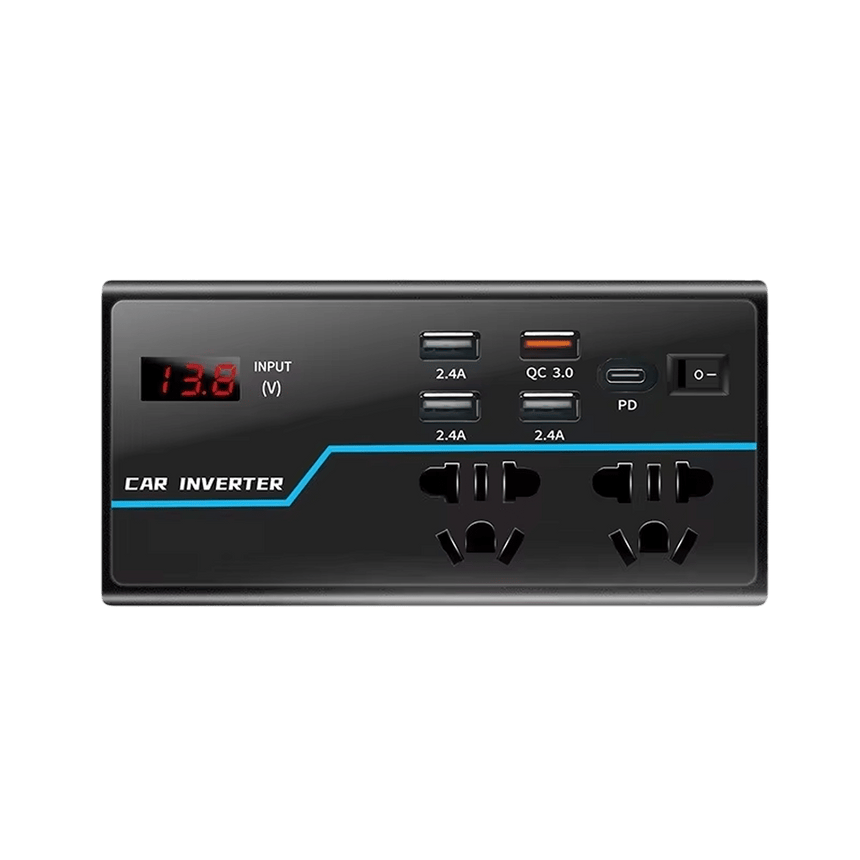
What Makes WattRoam Different On The Road
Automatic Battery Protection
WattRoam shuts off automatically before your starter battery drains too low, so a long charging session never leaves you stranded.
Cooling That Prevents Shutdowns
The fan kicks in before heat builds up, so WattRoam keeps running instead of shutting down like cheap inverters do under heavy use.
Rugged, Built-to-Last Body
A reinforced PC+ABS and metal shell shrugs off the constant vibration, bumps, and heat cycles that kill cheap inverters within months on the road.
Compact, Grab-and-Go Design
Small enough to slide into a glovebox or backpack, ready for laptops, CPAPs, and everyday electronics wherever you're headed.
What our 17,000+ Customers say
Based On Real and Honest Experiences
Frequently Asked Questions
Will WattRoam drain my car battery if I leave it plugged in?
With the engine running, your alternator powers WattRoam, so it's a non-issue. With the engine off, WattRoam draws very little at idle and shuts itself off automatically before your battery gets too low to start the car.
Do I need pure sine wave power for my laptop or CPAP, or will modified sine wave work?
Yes. Modified sine wave creates a jagged signal that can buzz, overheat chargers, and damage laptops or CPAP machines over time. WattRoam converts battery power into a smooth waveform your electronics read as normal wall power.
Can I plug WattRoam into the cigarette lighter, or does it need to be hardwired to the battery?
For most laptops, phones, and CPAP machines, the cigarette lighter socket works fine. Cigarette lighter sockets are only built for light loads, so higher-draw devices should be wired directly to the battery to avoid blowing a fuse.
What size do I need to run a laptop, CPAP, mini fridge, or Starlink?
Most laptops and CPAP machines draw between 30 and 150 watts. Starlink and mini fridges pull more, so always check your device's wattage label before plugging in any inverter, WattRoam included.
How loud is the cooling fan? Will it keep me up if I'm sleeping in my van?
WattRoam's fan only activates when internal temperatures rise, so it stays quiet during normal use instead of running constantly like cheap inverters with always-on fans — better for sleeping in a van or truck cab.
Does WattRoam have USB-C ports, or just USB-A?
Both. WattRoam includes USB-C fast charging alongside standard USB-A and AC outlets, so you can power modern phones and laptops without hunting for an adapter.
Is it safe to use WattRoam while driving, or only when parked?
Yes. WattRoam is designed for use while driving or parked — built-in overload and short-circuit protection keep both your devices and your vehicle's electrical system safe either way.
What happens if the low voltage alarm goes off? Will it damage my battery?
The alarm means WattRoam is protecting your battery, not damaging it — it sounds before your voltage drops too low, then shuts off automatically so you can still start your car. Think of it as an early warning, not a malfunction.