


Real Pen on Real Paper. Every Word Synced Under 200ms. Every Meeting Recorded.
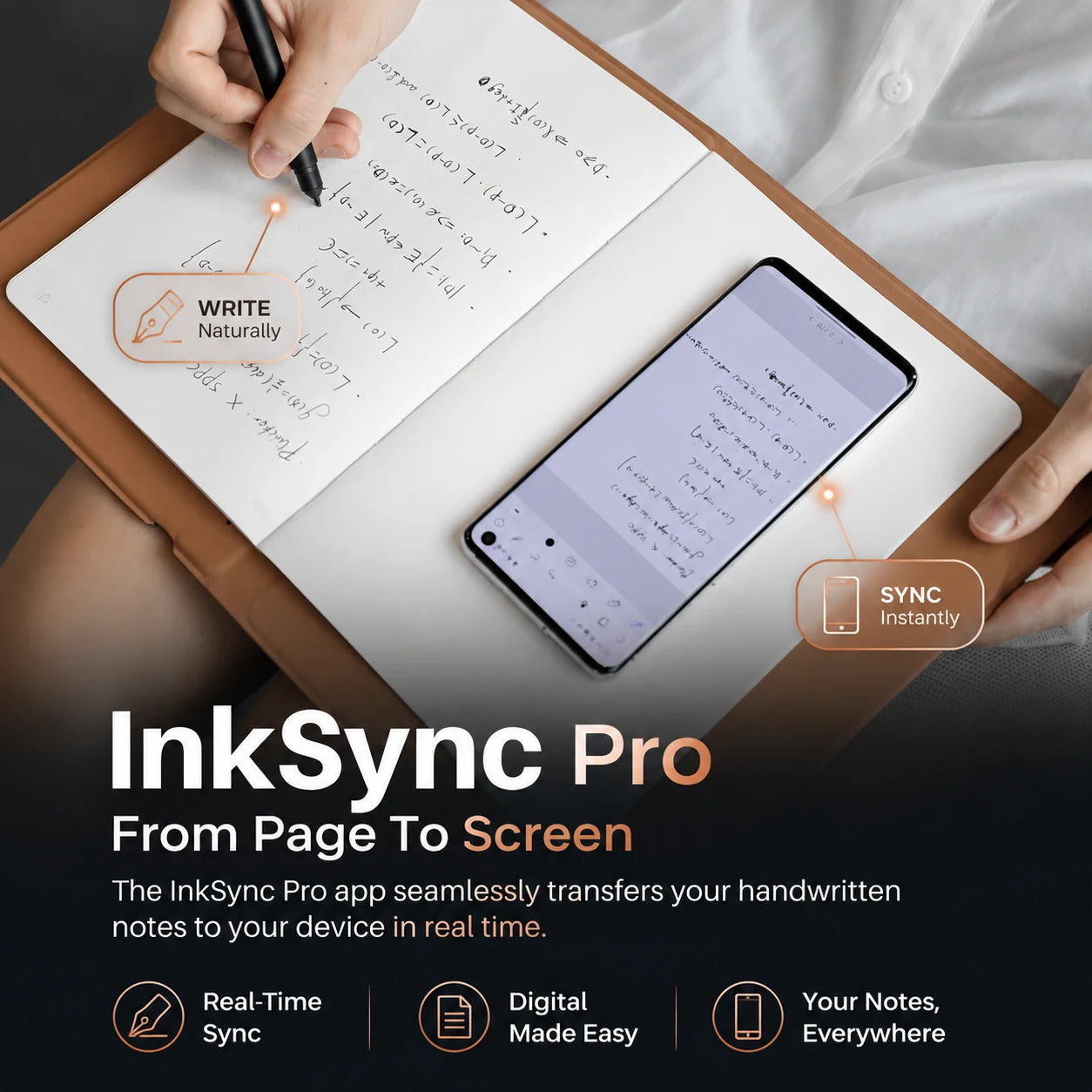
InkSync Pro keeps the longhand feel you think with - real ink, real A5 paper - while every stroke reaches your phone in under 200 ms via Bluetooth 5.0. Tap any line in the app to hear back the audio of the moment you wrote it. No screen between you and your hand. No monthly fee, ever.
Low Stock - Selling Fast

Couldn't load pickup availability
Order today and it ships by -
- Apple pay payment method
- American express payment method
- Master payment method
- Visa payment method
- Discover payment method
- Jcb payment method
- Unionpay payment method
- Diners-club payment method
- Google pay payment method

This product is not available on Amazon or eBay. You are purchasing directly from the only authorized seller — which means full warranty, verified authenticity, and dedicated customer support. Beware of counterfeit listings on third-party marketplaces.
How It Works
How It Works
- Slip any A5 notebook under 10 mm thick into the spunlace fabric folio. Snap on the magnetic battery-free EMR pen.
- Open the companion app and pair once over Bluetooth 5.0 - the pairing handshake takes under 5 seconds and you never repeat it.
- Write longhand. Every stroke renders as a vector line on your paired phone in under 200 ms. The mic captures audio in parallel - tap any line later and hear back the conversation that was happening when your pen touched the page.
What's Included
What's Included
- InkSync Pro Digital Notebook with spunlace fabric folio cover
- A5 Notepad (160 lined pages)
- Protective Tablet Surface Cover (for desktop drawing-tablet mode)
- Battery-Free EMR Pen (8192 pressure, plus or minus 60 degrees tilt)
- Ballpoint Pen Nibs x3 (real ink, standard refill format)
- Plastic Pen Nibs x3 (quiet stylus mode for the surface cover)
- Nib Replacement Clip
- USB-C Charging Cable (1 m)
- Quick Start Guide (8 languages)
Shipping & Returns
Shipping & Returns
We offer free shipping for all orders. Order processing
takes 1-3 business days before shipment. Once your item/s is dispatched,
the estimated delivery time is:
- USA: 2-12 business days
- UK: 5-13 business days
- Australia: 5-13 business days
- Canada: 2-12 business days
- Europe: 5-13 business days
You have 90 days to return your product for a full refund (return shipping is covered by the customer; defective items ship a free replacement).

InkSync Pro




Built for People Who Think Better with a Pen in Hand
Sub-200 ms Sync. Real Paper. No Glass.
Every stroke reaches your phone in under 200 milliseconds over Bluetooth 5.0 - the digital copy is on screen before your hand finishes the next word. You write with a real ballpoint refill on real A5 paper. No tablet. No stylus on glass. No re-learning the muscle memory you've had since elementary school.
50 Pages Offline. Sync When You Want.
Capture up to 50 full pages without your phone in the room. Walk into a tunnel, board a plane, leave the WiFi behind - the notebook stores every stroke and every audio clip locally. Reconnect over Bluetooth and the queued pages flow into the app in seconds. Works with any A5 notebook under 10 mm thick.

Audio Timestamped to Every Line
Tap any handwritten sentence in the app and you hear the exact audio from the moment your pen drew it. The deposition. The lecture. The 90-second tangent that turned into the deal. No more rewinding a separate recorder app. No more wondering what the squiggle on page 4 meant.
Doubles as a Pro Drawing Tablet
Snap on the surface cover, plug into a Mac, Windows, or Linux laptop, and the pen drives Photoshop, Procreate, Figma, or Clip Studio at 8192 pressure levels with plus or minus 60-degree tilt at 5080 LPI. One device replaces the standalone graphics tablet, the leather-bound notebook, and the voice recorder you've been carrying separately.
What our 17,000+ Customers say
Based On Real and Honest Experiences

Project manager, four concurrent sprints. Before this notebook, action items lived in three different apps and a stack of legal pads. Now I write longhand in the meeting, the page is on my phone before I leave the room, and I can search every handwritten note like email. Follow-through on my team is up roughly 30%.


Therapist running back-to-back client sessions. The audio sync is the feature I didn't know I needed - I tap a line from a session three weeks ago and hear the exact tone of voice when the client said it. Notes stay on my phone, the audio stays linked, and the app never asks me to subscribe to my own data.

Bought it doubting the latency claim. Three months in, the digital line really does land on my phone before my pen leaves the page. OCR is frighteningly accurate on my engineer's scrawl. I was wrong to doubt it - this thing keeps up with how fast I think.


Frequently Asked Questions


Does InkSync Pro require a monthly subscription?
Does InkSync Pro require a monthly subscription?
No - and never. OCR handwriting search, cloud sync, PDF export, audio playback, and the companion app on iOS and Android are all included for free. There is no premium tier and no upsell. You bought the device, you own every feature, the app stays free for the life of the product.
How long does the battery last between charges?
How long does the battery last between charges?
The notebook holds 18 hours of active use on a charge - around three full working days for a typical knowledge worker. The EMR pen is battery-free and never needs charging. USB-C top-up takes about 90 minutes from empty.
How fast does the writing actually sync to my phone?
How fast does the writing actually sync to my phone?
Every stroke renders on your paired phone in under 200 milliseconds over Bluetooth 5.0 - fast enough that your sentence is on screen before your hand finishes the next word. Vector lines stay sharp at any zoom; you can pinch into a 0.01 mm-wide stroke and the line still draws clean.
What happens if my phone dies or I lose Bluetooth?
What happens if my phone dies or I lose Bluetooth?
The notebook keeps writing. Up to 50 pages of strokes plus the matching audio are stored locally on the device. Reconnect over Bluetooth later and the queue flows into the app in seconds. You'll never lose a page because your phone hit 1%.
Does the app let me search my handwriting?
Does the app let me search my handwriting?
Yes - search runs on the OCR-converted text underneath every page, and you tap a result to jump back to the original handwritten line. Organize notes in folders, color-tag them, share single pages or full notebooks. No paid tier hides any of this.
Can I really use it as a desktop drawing tablet?
Can I really use it as a desktop drawing tablet?
Yes. Snap on the included surface cover, connect to a Mac, Windows, or Linux machine over USB-C or Bluetooth, and the pen drives Photoshop, Procreate, Figma, Clip Studio, or any application that reads a HID stylus - 8192 pressure levels and plus or minus 60-degree tilt at 5080 LPI.
How do I share my notes with colleagues or my Notion?
How do I share my notes with colleagues or my Notion?
Every page exports as a vector PDF, a sharp PNG, an SVG editable in Illustrator, or a Word document with handwriting auto-converted to typed text. One-tap shares to Google Drive, Dropbox, OneNote, Evernote, or Notion. Audio exports as a standard MP3 linked to the line timestamp.
What if the audio captures something I don't want stored?
What if the audio captures something I don't want stored?
Every audio clip lives on the notebook and your phone first - never on a third-party cloud. Delete a clip with one tap and it's gone from both. Pause recording mid-meeting with a hardware button on the folio. Your data stays yours, on devices you control.