


Effortless Family Connection That Lives on Your Shelf
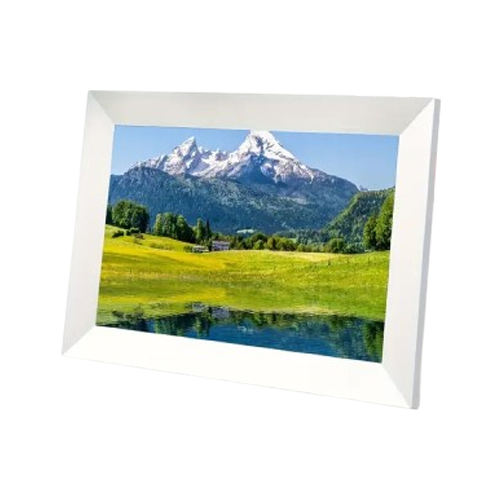
FrameVault pairs a vivid 10.1-inch 1080p IPS display with 32GB of built-in storage — enough for 10,000 photos without a single subscription. Unlike printed albums that collect dust, this frame updates itself the moment someone in your family hits send.
Low Stock - Selling Fast

Couldn't load pickup availability
Order today and it ships by -
- Apple pay payment method
- American express payment method
- Master payment method
- Visa payment method
- Discover payment method
- Jcb payment method
- Unionpay payment method
- Diners-club payment method
- Google pay payment method
This product is not available on Amazon or eBay. You are purchasing directly from the only authorized seller — which means full warranty, verified authenticity, and dedicated customer support. Beware of counterfeit listings on third-party marketplaces.
How It Works
How It Works
- Plug in FrameVault and connect to WiFi once through the guided setup, done in minutes, no tech background needed.
- Share your private invite code with family so anyone can send photos straight from their phone from anywhere.
- Recent uploads cache on the frame itself, so your matte-screen slideshow keeps playing even through a WiFi hiccup.
What's Included
What's Included
- FrameVault 10.1" Digital Photo Frame
- USB-C Charging Cable
- Quick-Start User Manual
Shipping & Returns
Shipping & Returns
We offer free shipping for all orders. Order processing
takes 1-3 business days before shipment. Once your item/s is dispatched,
the estimated delivery time is:
- USA: 2-12 business days
- UK: 5-13 business days
- Australia: 5-13 business days
- Canada: 2-12 business days
- Europe: 5-13 business days
You have 90 days to return your product for a full refund (return shipping is covered by the customer; defective items ship a free replacement).

FrameVault




Built to Solve What Cheap Frames Get Wrong
Matte Screen Like Real Printed Photos
A matte anti-glare panel diffuses light like printed photo paper, so pictures look real instead of screen-lit, from any angle in the room.
Private Family Photo Sharing
Invite family with a private code, not a shared account. They send photos straight from their phone, no library access needed.

Works Even When WiFi Drops
Recent uploads cache on the frame itself, so slideshows keep running through router hiccups instead of freezing on offline.
Massive 32GB Onboard Storage
Store thousands of photos on the device with room to add a memory card later. No subscription needed to keep browsing them.
What our 17,000+ Customers say
Based On Real and Honest Experiences
FrameVault has a real matte finish, not a glossy screen, so it actually looks like a printed photo on the wall. My living room now cycles through a decade of family memories every single day.

We set up a FrameVault in my mother-in-law assisted-living apartment so she can see the great-grandkids grow. Every Sunday new pictures show up on her FrameVault instantly, no subscription, no app hassle for her at all.
I was skeptical about another gadget dying in a year, but FrameVault kept running through a WiFi dropout that would have frozen my old frame. The matte screen alone makes FrameVault worth it.
Frequently Asked Questions


How many photos can FrameVault store at once?
How many photos can FrameVault store at once?
FrameVault runs 32GB of onboard storage, enough for around 10,000 photos, well above the 8GB+ that most reliable frames in this category carry. Most families never come close to filling it.
How do I add photos to FrameVault from my phone?
How do I add photos to FrameVault from my phone?
Scan your private FrameVault invite code once, then send photos straight from your Camera Roll, no shared account or full library access needed. Photos appear on the frame within moments.
Do I need a subscription for FrameVault to keep working?
Do I need a subscription for FrameVault to keep working?
Never. Uploading, storage, and inviting unlimited family members are included forever, unlike frames that lock basic features behind a monthly plan. Buy once, use it for years.
What happens if my WiFi goes out or shows offline?
What happens if my WiFi goes out or shows offline?
Recent photos stay cached directly on the frame, so a router hiccup just pauses new uploads, it never blanks your slideshow. Everything already on FrameVault keeps playing offline.
Can FrameVault play videos, not just photos?
Can FrameVault play videos, not just photos?
Yes, FrameVault plays short video clips right alongside your photos in the same slideshow, so quick moments from family visits show up next to your favorite stills.
Can more than one person share photos to my frame?
Can more than one person share photos to my frame?
Yes, invite as many family members as you like through their own private code. Each person sends photos directly, no shared login and no library access required.
Is setup difficult for someone who isn't tech-savvy?
Is setup difficult for someone who isn't tech-savvy?
FrameVault is built for first plug-in, not tech background. Connect to WiFi once through the on-screen guide and photos start appearing automatically after that.
How long does a FrameVault typically last?
How long does a FrameVault typically last?
Quality frames in this category typically last 3 or more years with normal use. FrameVault avoids the cheap components behind most early failures reported with budget models.